
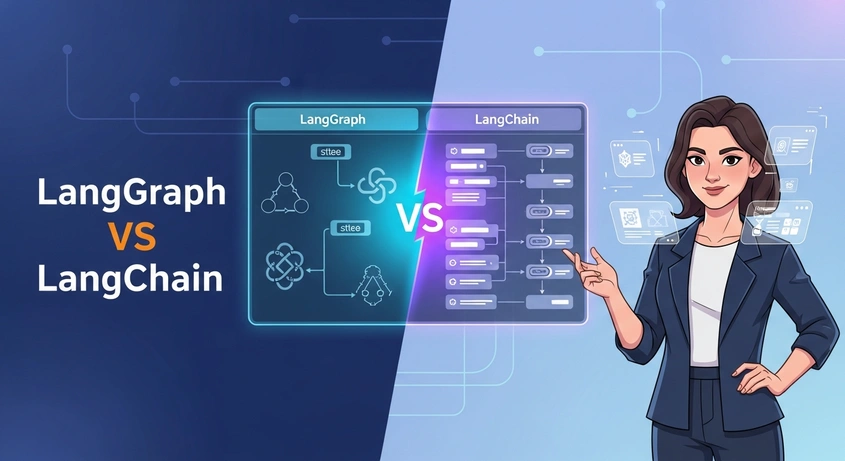
Building AI applications with large language models just got more complicated. You have two frameworks from the same team, both called LangChain, but they work completely differently.
The agentic AI market will grow from $6.96 billion in 2025 to $42.56 billion by 2030. That’s a 43.6% growth rate. This explosion means picking the right framework now saves you from expensive rewrites later.
This guide breaks down the difference between LangChain and LangGraph so you can choose the right one for your project.
What is LangChain?
LangChain is an open-source framework that helps you build applications powered by large language models. Think of it as middleware between your app and models like GPT-4, Claude, or Gemini.
The framework launched in October 2022 and quickly became the standard for connecting LLMs to external data sources, tools, and workflows. It works like a conveyor belt where data enters, gets processed through sequential steps, and comes out ready to use.
Core Components of LangChain
LangChain provides several building blocks that work together:
- Chains connect multiple operations in sequence, where each step feeds into the next
- Agents let LLMs decide which tools to use and in what order
- Tools are external functions or APIs that agents can call
- Memory stores context across conversations or sessions
- Retrievers pull relevant information from unstructured data
The framework includes over 700 integrations with external services and databases. You can easily switch between OpenAI, Anthropic, Hugging Face, and other model providers without rewriting your code.
When LangChain Works Best
LangChain excels at straightforward tasks that follow a predictable path. You’ll find it useful for:
- Question-answering systems that retrieve data and generate responses
- Document summarization pipelines
- Simple chatbots with basic context management
- Retrieval-augmented generation (RAG) applications
Development teams choose LangChain when they need to prototype quickly or build applications with clear, linear workflows. The framework’s modular design lets you assemble working demos in hours instead of days.
For teams looking to build sophisticated mobile app development solutions, understanding these AI frameworks becomes critical for integrating intelligent features into your applications.
What is LangGraph?
LangGraph is a specialized framework built on top of LangChain for complex, stateful AI workflows. Introduced in 2024, it treats your application logic as a graph where nodes represent actions and edges define transitions between them.
Here’s what makes it different:
Instead of forcing everything into a linear chain, LangGraph lets you model workflows with loops, branches, and decision points. Think of it like a flowchart where your AI agent can take different paths based on what happens at each step.
Key Features That Set LangGraph Apart
LangGraph brings production-ready capabilities that LangChain doesn’t have:
- Graph-based architecture supports loops, backtracking, and complex control flows naturally
- Centralized state management keeps context preserved across all steps
- Human-in-the-loop workflows let agents pause for human review before continuing
- Time-travel debugging allows you to rewind and replay agent executions
- Multi-agent coordination enables multiple agents to collaborate on tasks
The framework reached version 1.0 in October 2025, marking the first stable major release in the agent orchestration space. This means no breaking changes until version 2.0.
Recent Updates to LangGraph in 2026
LangGraph has added several capabilities throughout 2026:
In February, they released LangGraph Supervisor, a Python library for building hierarchical multi-agent systems. The React integration arrived the same month, letting you add thread and state management with a single hook.
June brought node-level caching to avoid redundant computation. Deferred execution launched, allowing nodes to run only after all parallel branches complete.
December 2024 introduced the interrupt feature for easier human-in-the-loop workflows. Agents can now pause, wait for human input, and resume without losing context.
LangChain vs LangGraph: Core Differences
The fundamental difference comes down to how each framework handles workflow logic. LangChain uses linear chains. LangGraph uses graphs with state machines.
Let me break this down:
Architecture Approach
LangChain orchestrates components through LangChain Expression Language (LCEL). You wire components together in a pipeline that executes from start to finish. This works well for predictable workflows where you know exactly what happens next.
LangGraph defines workflows as nodes and edges. Each node represents a function or LLM call. Edges control how the flow moves based on results. This structure makes loops, retries, and conditional branching explicit instead of forcing them into if-else statements.
State Management
State handling reveals another key difference:
LangChain passes state through the chain. Each component receives input, processes it, and sends output to the next component. Memory modules help maintain context, but you manage state explicitly at each step.
LangGraph builds state into the architecture. A centralized state object persists across all nodes. Any node can read from or write to this state. The framework handles persistence automatically, making it easier to build agents that remember conversations or track complex tasks.
Debugging and Visualization
When things go wrong, LangGraph provides better tools:
LangGraph Studio offers visual debugging with time-travel capabilities. You can see exactly where your agent is in the graph, what state it holds, and replay executions step by step. Version 2 launched in May 2025 with LangSmith integration and in-place configuration editing.
LangChain relies on LangSmith for observability. You get trace logs and performance metrics, but no visual graph representation or time-travel debugging.
When to Use LangChain vs LangGraph
Choosing between these frameworks depends on your project requirements. Let’s look at specific scenarios:
Choose LangChain When You Need
Speed matters more than complexity. LangChain helps you build working prototypes in under a day. The framework handles common patterns like RAG pipelines, chatbots, and document analysis with minimal code.
Your workflow follows a straight line. If your application retrieves data, processes it, and generates a response without branching logic, LangChain’s chain abstraction makes sense.
You want maximum integrations. With 700+ connectors for vector databases, models, and external tools, LangChain makes it easy to plug in new services.
Your team includes non-engineers. Product managers and data analysts can understand LangChain chains more easily than graph-based workflows.
Choose LangGraph When You Need
Complex agent behavior with loops and retries. LangGraph’s graph structure makes it simple to implement agents that can backtrack, try different approaches, or wait for external events.
Production-ready reliability. Companies like Uber and Klarna use LangGraph at scale. The framework includes checkpointing, human-in-the-loop workflows, streaming output, and robust error handling built in.
Multiple agents working together. LangGraph was designed for multi-agent coordination. You can build systems where specialized agents collaborate, delegate tasks, or supervise each other.
Fine-grained control over execution. When you need to know exactly where your agent is, what it’s thinking, and be able to pause or redirect it, LangGraph’s state machine approach delivers that visibility.
Can You Use Both Together?
Yes. LangGraph builds on LangChain’s foundation.
You can use LangChain components like chains, tools, and retrievers inside LangGraph nodes. This lets you combine LangChain’s extensive integrations with LangGraph’s control flow capabilities.
Many developers start with LangChain for prototyping, then migrate complex workflows to LangGraph when they need better state management and control.
Pricing Comparison: LangChain vs LangGraph
Both frameworks are open-source and free to use. The costs come from deploying and running your applications through LangSmith and LangGraph Platform.
LangChain Pricing (via LangSmith)
LangSmith handles observability and tracing for LangChain applications:
- Developer plan: Free with 1 seat and 5,000 base traces per month included
- Plus plan: Starts at a monthly cost with 10,000 base traces included, multiple seats available
- Enterprise plan: Custom pricing with annual billing
Traces track your LLM calls, tool usage, and chain executions. Base traces keep data for 14 days. Extended traces retain for 400 days and cost more because they include feedback and evaluation data.
LangGraph Platform Pricing
LangGraph Platform charges for agent runs and uptime:
- Developer plan: 1 free dev deployment with unlimited agent runs
- Additional deployments: $0.005 per agent run
- Standby minutes: $0.0036 per minute for keeping servers ready
An agent run counts as one complete execution from start to finish. If you run 24/7, expect around $155 per month in standby costs per deployment.
The Plus plan includes 1 free dev-sized deployment. Production deployments charge for both agent runs and uptime separately.
Cost Considerations
For small workloads under 100,000 node executions monthly, LangGraph’s usage-based model stays affordable. Enterprise teams with existing Azure or GCP commitments might find better value using Microsoft’s Azure AI Foundry or Google’s Agent Development Kit instead.
Both frameworks let you self-host to avoid vendor costs. LangGraph Server can run in your own infrastructure, giving you full control over deployment and data residency.
Real-World Use Cases and Examples
Let me show you how companies actually use these frameworks in production:
LangChain in Action
Customer Support Automation
Healthcare organizations use LangChain to summarize clinical notes. Documentation time dropped from 30 minutes to 3 minutes per patient while maintaining accuracy through validation chains.
The system connects document loaders to embedding models, stores summaries in vector databases, and retrieves relevant context when doctors need it.
Legal Document Analysis
Law firms process contracts and case documents using specialized summarization chains. LangChain preserves critical terminology and regulatory references while extracting key clauses.
One implementation processes thousands of pages in minutes, flagging non-compliant sections by cross-referencing a regulatory database.
Financial Research Assistants
Investment teams build research tools that fetch stock data, calculate metrics, and generate summaries. The chain executes sequentially: data retrieval, calculation, analysis, then summary generation.
These assistants handle repetitive research tasks, freeing analysts to focus on strategy.
LangGraph in Production
Multi-Agent Research Systems
Exa built a web research system with LangGraph that processes complex research queries. Multiple specialized agents collaborate: one searches, another validates sources, a third synthesizes findings.
The graph structure lets agents loop back when they need more information or branch to different research strategies based on initial results.
Investment Analysis Platforms
Captide uses LangGraph Platform and LangSmith for investment research and equity modeling agents. Their system coordinates multiple agents that analyze financial statements, track market trends, and generate investment theses.
Human-in-the-loop interrupts let analysts review key findings before the system makes recommendations.
Government Service Automation
The Abu Dhabi Government powers their services platform with LangGraph and LangChain. The system handles complex citizen requests that require multiple departments, approvals, and data sources.
LangGraph’s state management tracks requests across departments, while LangChain components handle document processing and information retrieval.
Media Content Creation
A major media company deployed a multi-agent system using LangGraph from its earliest days. Multiple agents collaborate on content creation: one generates ideas, another writes drafts, a third edits for style and accuracy.
The system includes quality loops that prevent agents from producing off-brand content. Human editors review and approve before publication.
Performance and Scalability Considerations
Performance differences matter when you’re processing thousands of requests daily. Here’s what you should know:
LangChain Performance
LangChain handles straightforward pipelines efficiently. Performance depends on how you compose chains and manage tool latency.
For large agent systems, you need careful engineering. Memory management becomes critical as conversation history grows. Token costs climb quickly without summary strategies.
The framework scales well for simple use cases. Complex agents with many tool calls can become opaque and hard to debug as they grow.
LangGraph Performance
LangGraph was designed for complex control flow from the start. Node-level caching arrived in May 2025, helping you avoid redundant computation and speed up execution.
The framework includes built-in strategies for retry logic, error handling, and checkpointing. These features add overhead for simple tasks but improve reliability for complex workflows.
LangGraph Platform supports horizontal scaling, task queues, and automated retries. This architecture handles large workloads better than managing your own infrastructure.
One complaint: LangGraph uses more memory than lighter alternatives. CrewAI claims 50x less memory usage than LangGraph for similar workflows. Consider this if you’re running on resource-constrained systems.
Monitoring and Observability
Both frameworks integrate with LangSmith for production monitoring:
LangSmith tracks latency, token usage, error rates, and costs across your LLM applications. You can run evaluations directly in the interface and set up real-time alerts for production failures.
For LangGraph specifically, Studio provides visual debugging and time-travel capabilities. You can download production traces and run them locally to reproduce issues.
Self-hosting LangSmith helps with security concerns. A vulnerability in June 2025 could expose API keys via malicious agents. The team fixed it, but enterprise teams often prefer self-hosted deployments with tighter key controls.
Integration Capabilities
Your framework choice affects which tools and services you can easily connect. Let’s compare:
LangChain Integration Ecosystem
LangChain’s biggest strength is its integration library. The framework supports:
- All major LLM providers (OpenAI, Anthropic, Cohere, Hugging Face, Google, Meta)
- Vector databases (Pinecone, Weaviate, Chroma, Milvus, Qdrant)
- Document loaders for PDFs, Word docs, HTML, CSVs, and more
- Cloud platforms (AWS, Azure, GCP)
- Business tools (Salesforce, HubSpot, Notion, Slack)
The plug-and-play nature makes prototyping fast. You can swap vector databases or LLM providers with minimal code changes.
LangGraph Integration Approach
LangGraph interoperates with all LangChain components. You can use LangChain’s tools, retrievers, and chains inside LangGraph nodes without rewriting them.
The framework adds control flow on top of LangChain’s integrations. This means you get the same connectivity but with better orchestration for complex workflows.
New integrations in 2025:
- Model Context Protocol (MCP) endpoints for every deployed agent
- React hooks for seamless frontend integration
- Python 3.13 compatibility
- Background job execution for long-running tasks
API and SDK Support
Both frameworks provide SDKs for Python and JavaScript. LangGraph added React integration in February 2025, making it easier to build interactive user experiences.
LangGraph Platform exposes APIs for dynamic user experiences. You get token-by-token streaming, intermediate step visibility, and state management out of the box.
For mobile applications, LangGraph’s API-first approach works better than LangChain’s library-first design. You can call deployed agents from any platform without embedding the full framework.
Learning Curve and Developer Experience
The time it takes to become productive varies significantly between frameworks:
LangChain Learning Path
LangChain is beginner-friendly. Strong documentation and hundreds of community examples help you get started quickly.
Most developers build their first working prototype within hours. The modular design makes sense intuitively, and you can start with basic chains before exploring agents and tools.
The challenge comes later. As your application grows complex, debugging chains becomes difficult. Agent behavior can feel opaque, and understanding why an agent made specific tool choices requires careful logging.
LangGraph Learning Path
LangGraph has a steeper learning curve. You need to model state explicitly and think in graphs instead of sequential steps.
This upfront complexity pays off in production. The explicit state machine makes agent behavior predictable and debuggable. You always know where your agent is and what it’s thinking.
LangChain Academy offers a free course on LangGraph basics. You’ll learn how to build agents that automate real-world tasks with proper orchestration.
LangGraph Studio lowers the barrier. The visual interface lets you design workflows without writing code first. You can see your graph, test it, and then implement the logic.
Community and Support
LangChain has a larger community because it launched earlier and serves more use cases. You’ll find more tutorials, example projects, and Stack Overflow answers.
LangGraph’s community is growing rapidly. The October 2025 stable release brought more developers who need production-ready agent systems.
Both frameworks benefit from official support through LangChain’s documentation and Discord community. Enterprise customers get dedicated support channels.
Security and Compliance Features
Production AI systems need proper security controls. Here’s how each framework handles it:
Data Handling
Both frameworks process data locally by default. Your prompts, responses, and intermediate states stay in your infrastructure unless you use cloud deployment options.
LangSmith can be self-hosted for enterprise use cases with strict data residency requirements. This keeps all traces, evaluations, and monitoring data within your VPC.
LangGraph Platform offers three deployment options: fully managed cloud, hybrid (SaaS control plane with self-hosted data plane), or fully self-hosted.
Authentication and Access Control
LangSmith includes role-based access control for teams. You can restrict who sees traces, runs evaluations, or modifies prompts.
LangGraph Platform adds deployment-level controls. Different team members can have different permissions for dev versus production deployments.
Audit Logging
Both frameworks integrate with LangSmith for comprehensive audit trails. Every LLM call, tool invocation, and state transition gets logged with timestamps and metadata.
This helps with compliance in regulated industries. You can prove exactly what your AI system did and when it did it.
Content Filtering
LangChain Sandbox launched in May 2025 for safely running untrusted Python code. It uses Pyodide (Python in WebAssembly) to execute code in an isolated environment.
You can add moderation loops to either framework. LangGraph makes this easier with explicit nodes for content validation before agents take actions.
Migration Path Between Frameworks
What if you start with one framework and need to switch later?
Moving from LangChain to LangGraph
This is the common migration path. You build a prototype with LangChain, it grows complex, and you need better control flow.
Good news: LangGraph uses LangChain components. You can wrap existing chains, tools, and agents in LangGraph nodes without rewriting them.
The migration process:
- Identify decision points and loops in your LangChain application
- Model your workflow as a graph with nodes for each major operation
- Wrap your LangChain chains in node functions
- Define edges based on your control flow logic
- Add state management for context that needs to persist
Most teams complete this migration in days, not weeks. The hardest part is thinking through state management and control flow explicitly.
Starting with LangGraph Directly
Some teams skip LangChain entirely and build with LangGraph from day one. This makes sense when you know upfront that your application needs complex orchestration.
You’ll still use LangChain components for integrations. But you avoid the later refactoring work.
Alternative Frameworks to Consider
LangChain and LangGraph aren’t your only options. The competitive landscape expanded significantly in 2025:
Microsoft Azure AI Foundry
Microsoft consolidated Semantic Kernel and AutoGen into Azure AI Foundry Agent Service. It’s generally available with Agent-to-Agent protocol support.
Choose this if you’re already invested in Azure infrastructure. Pricing bundles into existing cloud contracts.
Google Agent Development Kit (ADK)
Google launched ADK at Cloud NEXT 2025 for multi-agent systems with native GCP integration. It powers Google’s internal tools like Agentspace.
Pick this for tight GCP integration and teams already using Google Cloud services.
OpenAI Agents SDK
OpenAI’s SDK launched in early 2025 and gained nearly 10,000 GitHub stars in months. It emphasizes production-grade deployments with streamlined OpenAI model integration.
Best for teams committed to OpenAI models who want official support.
CrewAI
CrewAI has over 30,000 GitHub stars and offers role-based team orchestration without LangChain dependencies. It claims significantly lower memory usage.
Consider this if resource efficiency matters more than LangChain’s integration ecosystem.
LlamaIndex
LlamaIndex focuses specifically on data ingestion and retrieval for LLM applications. It’s not a full agent framework but excels at RAG implementations.
Use this when your primary need is connecting LLMs to your data sources.
Expert Recommendations
After analyzing both frameworks, here’s my advice:
Start with LangChain if you’re exploring LLM applications for the first time. The learning curve is gentler, and you can build working prototypes faster. Use it for straightforward workflows where you know the steps ahead of time.
Move to LangGraph when your application needs loops, branches, or multi-agent coordination. Don’t wait until your LangChain code becomes unmaintainable. Migrate early when you first see complex control flow emerging.
For production systems handling critical business logic, choose LangGraph from the start. The explicit state management and debugging capabilities save time when issues arise at 2 AM.
If you’re building on Azure, consider Azure AI Foundry instead. If you’re on GCP, evaluate ADK. Platform-native solutions often integrate better with your existing infrastructure.
For resource-constrained environments, test CrewAI or other lightweight alternatives. LangGraph’s memory usage might not fit your deployment constraints.
Remember: these frameworks keep evolving. LangGraph 1.0 arrived in October 2025 with stability guarantees. But new competitors appear monthly. Stay flexible and reassess your choice as your needs change.
Frequently Asked Questions
Can I use LangGraph without learning LangChain first?
Yes, but you’ll miss important context. LangGraph builds on LangChain’s foundation, reusing components like chains, tools, and memory modules. Understanding LangChain’s building blocks makes LangGraph easier to grasp.
That said, if you already understand state machines and graph-based workflows, you can jump straight to LangGraph. The official course covers enough basics to get started.
What’s the difference between LangGraph and LangGraph Platform?
LangGraph is the open-source Python library for building agent workflows. It’s free and runs anywhere.
LangGraph Platform is the managed deployment service. It handles infrastructure, scaling, monitoring, and includes LangGraph Studio for visual debugging. This is what costs money based on agent runs and uptime.
Do I need to use LangSmith with these frameworks?
No, but you should. LangSmith provides observability that’s nearly essential for production systems. Without it, debugging agent behavior becomes guesswork.
The free tier includes 5,000 traces monthly, enough for development and small-scale testing. You can self-host LangSmith if data residency matters.
Which framework handles RAG applications better?
LangChain handles standard RAG better. The pattern is straightforward: retrieve documents, inject into prompt, generate response. LangChain’s retriever integrations and chain abstractions make this simple.
Use LangGraph for RAG when you need advanced features like multi-step retrieval, query rewriting loops, or routing between different retrieval strategies based on query type.
How do these frameworks compare to AutoGen or CrewAI?
AutoGen merged into Microsoft’s Azure AI Foundry. It’s now a platform-specific solution rather than a standalone framework.
CrewAI focuses on role-based team coordination without LangChain dependencies. It’s lighter weight but has fewer integrations. Choose CrewAI if you want multi-agent systems without LangChain’s ecosystem.
LangGraph provides more control over agent behavior and better debugging tools than either alternative.
Can these frameworks work with local open-source models?
Yes. Both LangChain and LangGraph support local models through Hugging Face, Ollama, and other providers. You’re not locked into commercial API-based models.
Running locally reduces costs and keeps data private, but you’ll need sufficient GPU resources for acceptable performance.
What happens if LangChain or LangGraph introduces breaking changes?
LangGraph 1.0 (October 2025) commits to no breaking changes until version 2.0. This stability guarantee matters for production systems.
LangChain updates more frequently with occasional breaking changes. Pin your versions and test thoroughly before upgrading. The large community usually provides migration guides quickly.
Making Your Decision
Choosing between LangChain and LangGraph comes down to workflow complexity and production requirements. Simple, linear applications thrive on LangChain’s rapid prototyping. Complex agent systems need LangGraph’s state management and control flow.
Don’t overthink the choice. Start building with the simpler framework that matches your current needs.
Test your approach with a small prototype this week. Use real data and realistic workflows. Measure how easily you can add features, debug issues, and explain behavior to your team.
Switch frameworks early if you hit limitations. The migration path from LangChain to LangGraph is straightforward when your codebase is small.
